Your next 30 days of posts, written and planned.
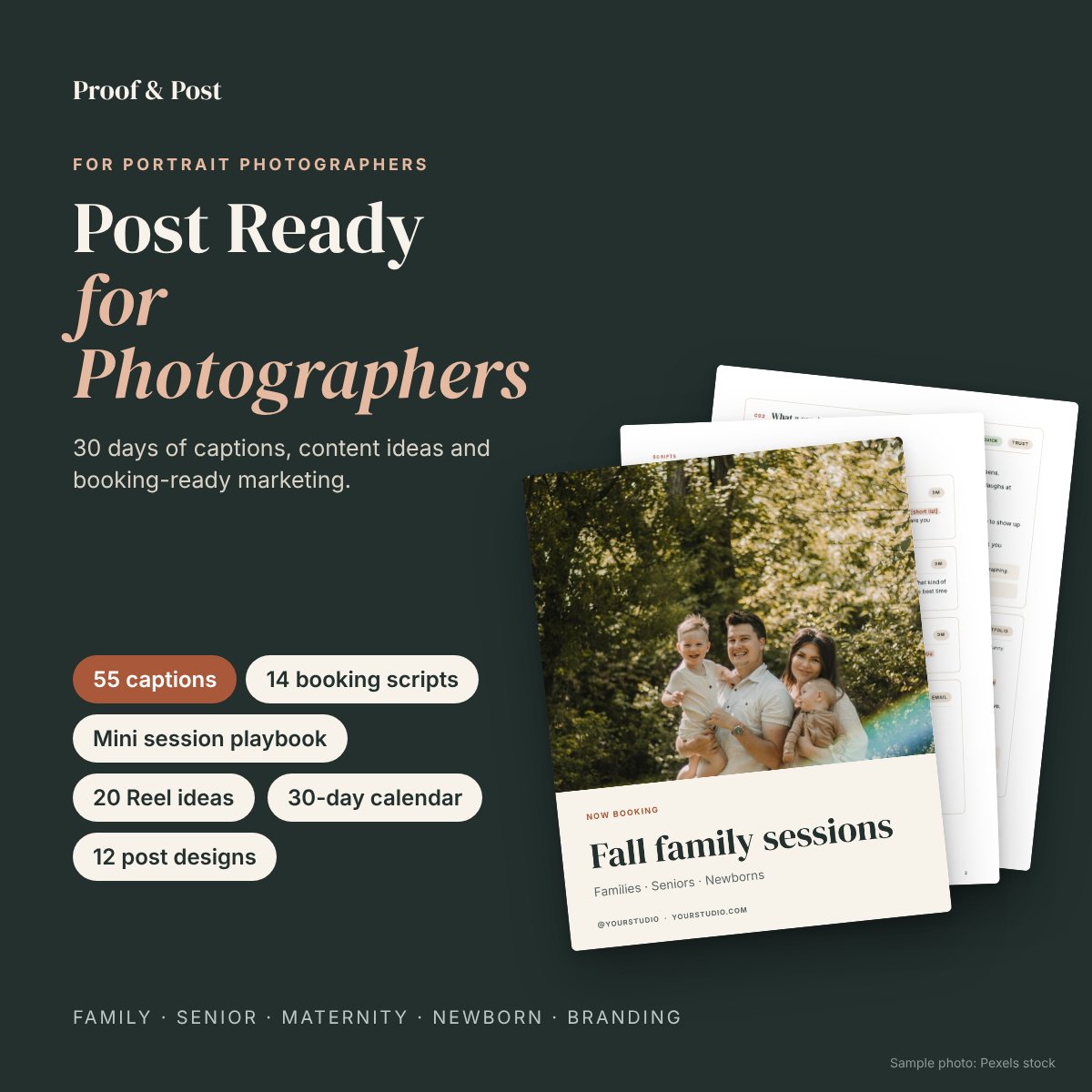
Captions, booking scripts and a realistic content plan for family, senior, maternity, newborn and branding photographers. Add your details and your photos, and post.
Instant download · PDF, DOCX, XLSX and PPTX · Works with Canva free
You don't need more inspiration. You need the words.
Many caption packs give you fill-in-the-blank sentences like "We help [ideal customer] get [outcome]," and you still do the writing. Post Ready's captions are complete posts. Most need only a detail or two, like your city or season. A few ask for your prices, policies or a real client story, and each caption is labeled so you know before you start.
Seven parts, one plan
Start Here Guide
A 60-minute setup, a bio formula with examples for each genre, portfolio strategy and a realistic posting rhythm.
55 captions
30 core captions plus 5 each for family, senior, maternity, newborn and branding. Includes a copy-and-paste version.
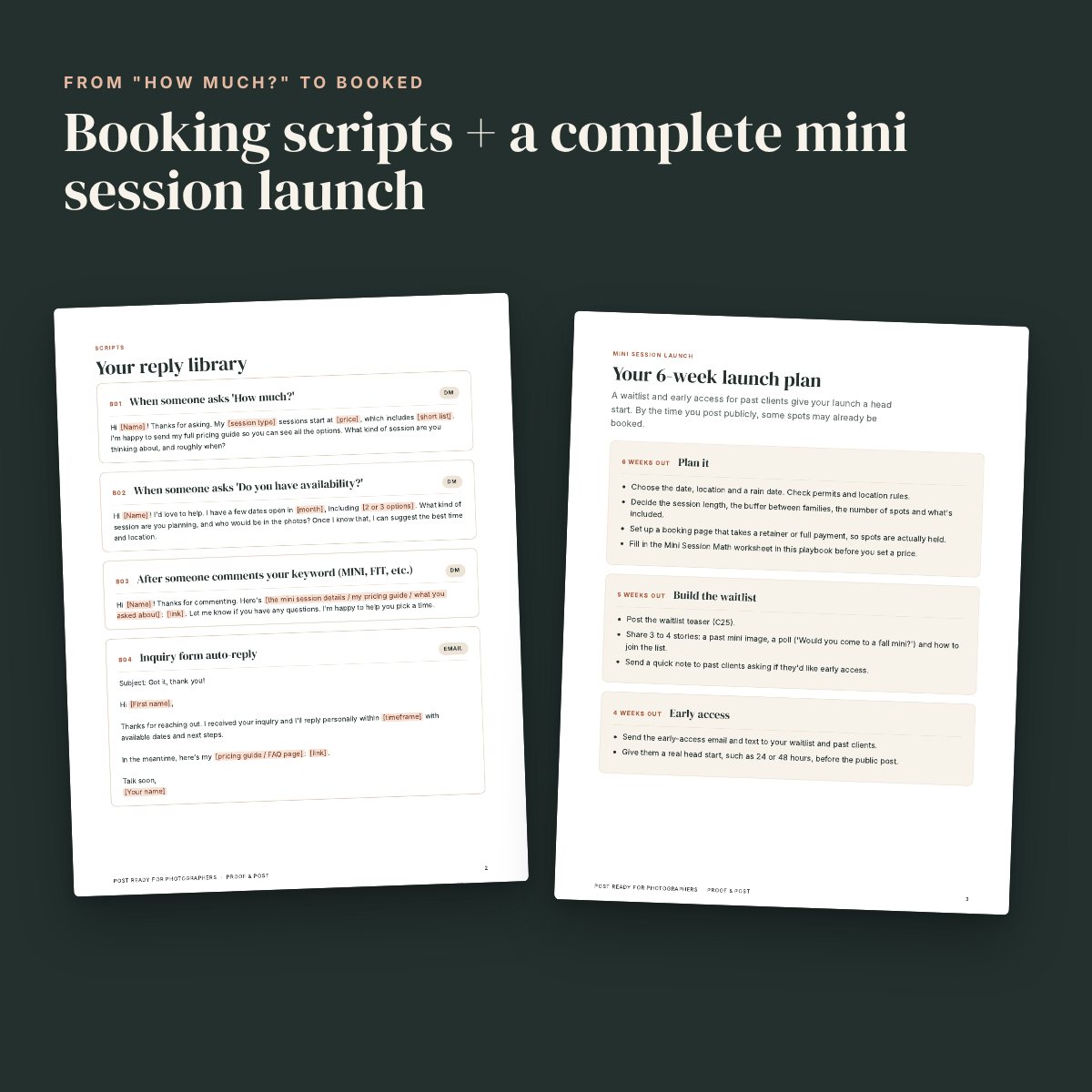
14 booking scripts
Replies for "How much?", availability questions, follow-ups, "can you do it cheaper?", reviews and referrals.
Mini session + seasonal playbook
What to promote each month, a 6-week mini launch with every caption, story, email and text written, plus the pricing math.
20 Reels + 10 scripts
Shot-by-shot scripts built from your photos and behind-the-scenes clips. No talking to camera required.
30-day calendar
Four feed posts a week and a story prompt every day. Enter a start date and the dates fill in. Includes a weekly tracker.
12 editable post designs
20 Canva-ready 4:5 pages: 10 single-image posts (now booking, minis, FAQ, client words, how to book, pricing and more) plus two 5-slide carousels, What to Wear and Kids photo-day prep. Opens in Canva, with an illustrated step-by-step Canva guide.
License to use, forever
Post the captions and templates for your own business as often as you like.
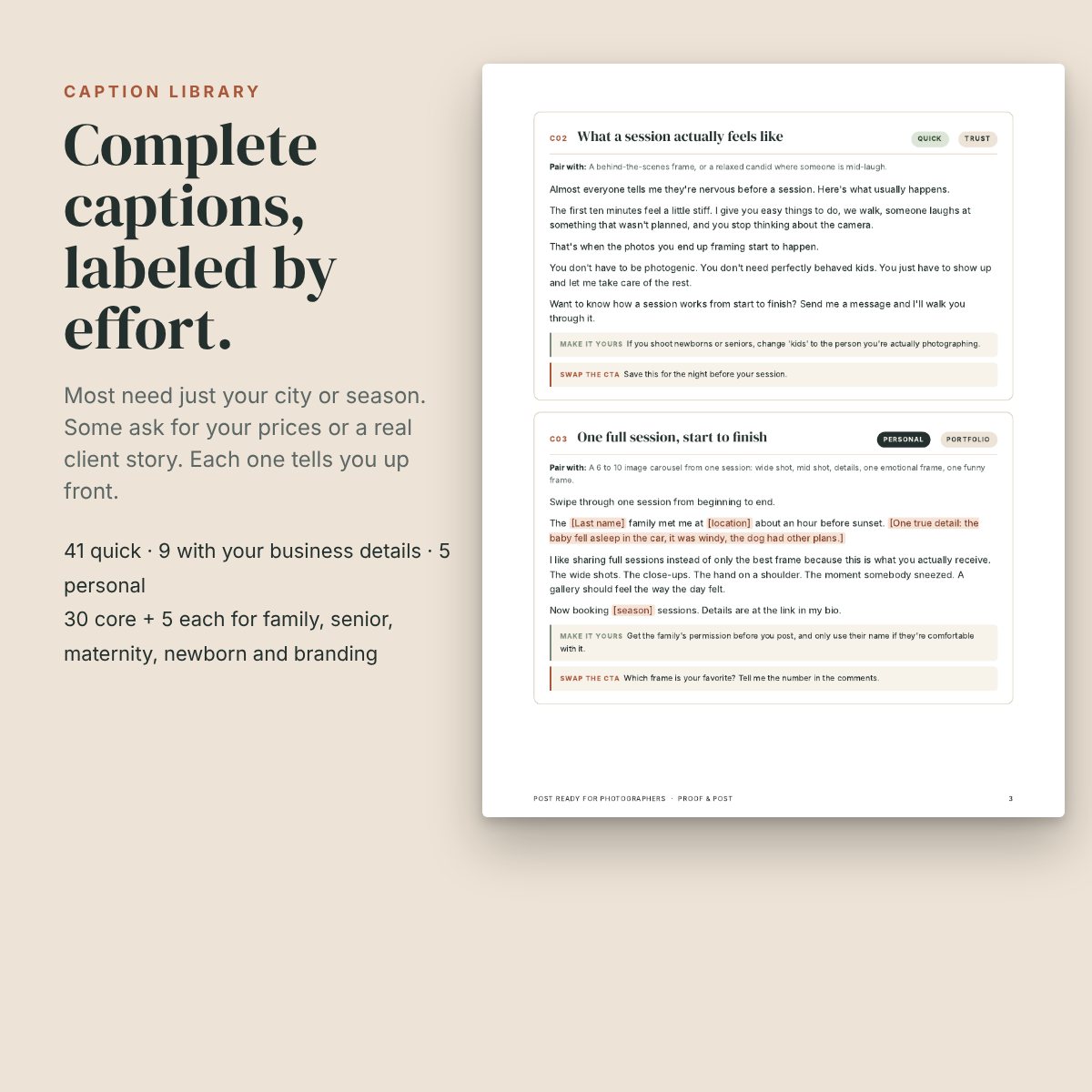
This is what a caption actually looks like
Taken straight from the library. The highlighted parts are where your details go.
Every caption comes with a suggested photo, a "make it yours" note and an alternate call to action.
Almost everyone tells me they're nervous before a session. Here's what usually happens.
The first ten minutes feel a little stiff. I give you easy things to do, we walk, someone laughs at something that wasn't planned, and you stop thinking about the camera.
That's when the photos you end up framing start to happen.
You don't have to be photogenic. You don't need perfectly behaved kids. You just have to show up and let me take care of the rest.
Want to know how a session works from start to finish? Send me a message and I'll walk you through it.
Pair with: A behind-the-scenes frame, or a relaxed candid where someone is mid-laugh.
From download to first post
Download
Your files arrive by email right after checkout.
Spend an hour setting up
Fix your bio, gather your session facts and pick your first week of photos.
Post four times a week
About ten minutes a post. The calendar tells you what to post and which photo to use.
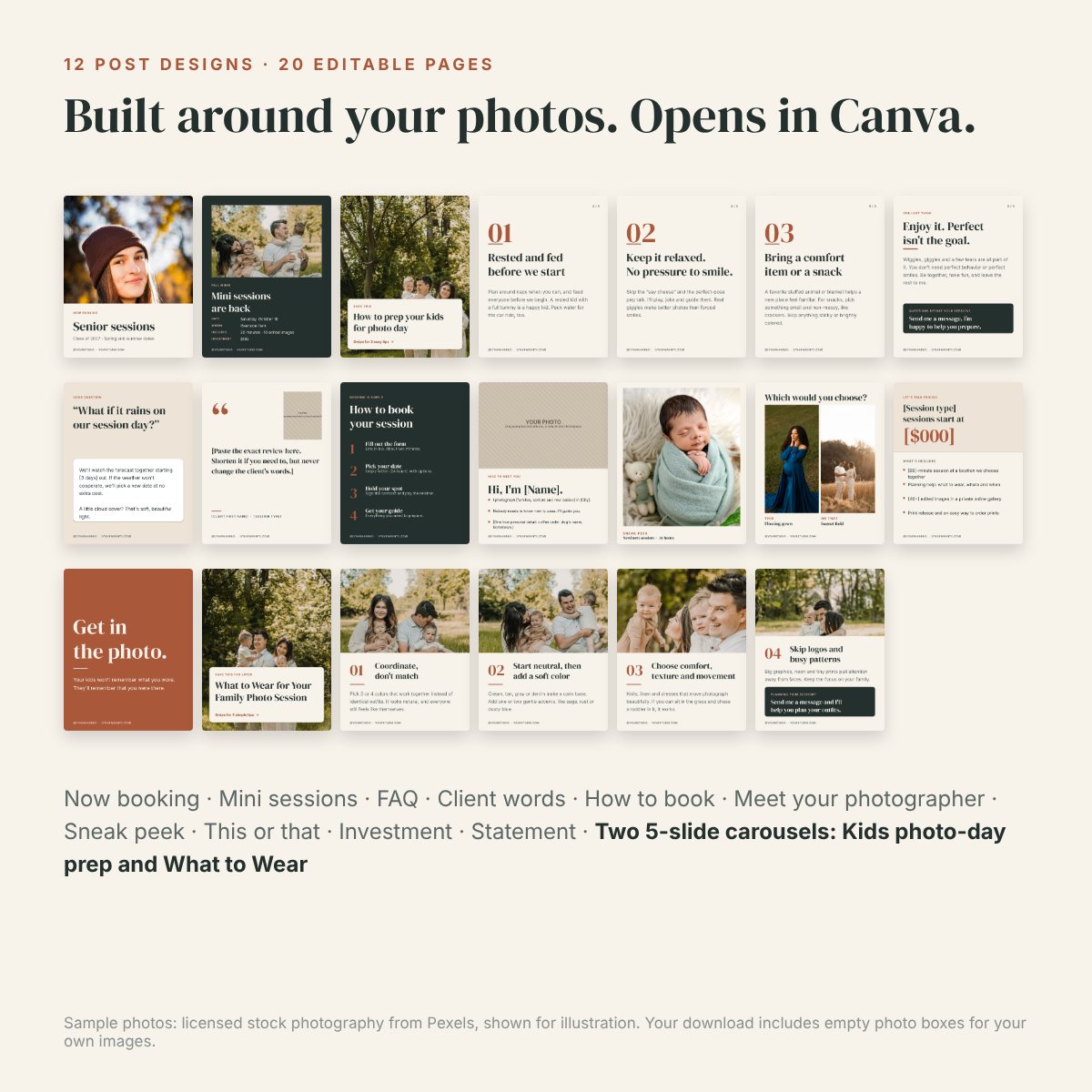
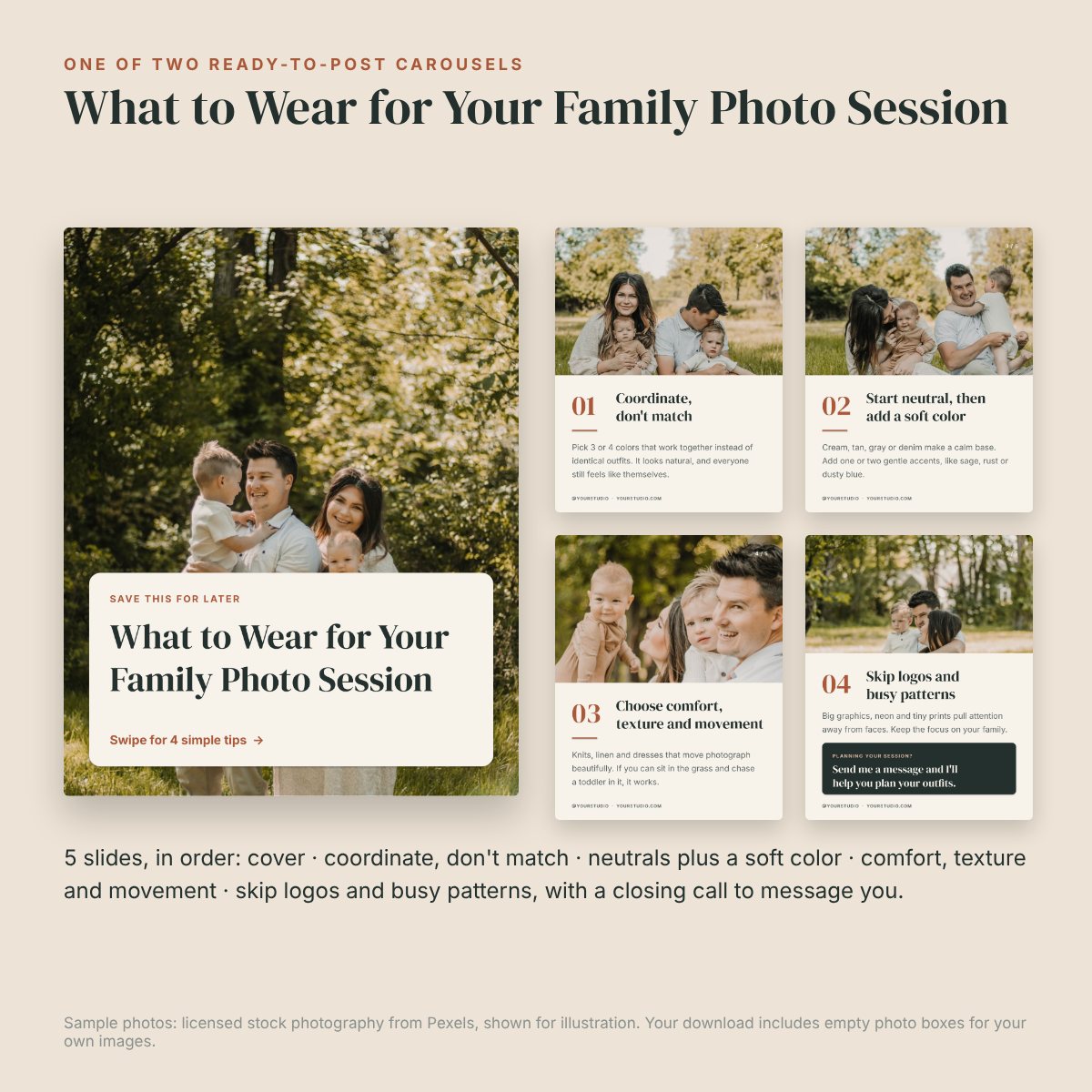
Sample photos: licensed stock photography from Pexels, shown for illustration. Your download includes empty photo boxes for your own images.
- You photograph families, seniors, maternity, newborns or personal branding clients
- You want to post consistently without sitting down to write from scratch
- You'd rather get inquiries than chase likes
- You don't want to film yourself talking to the camera
- You mainly photograph weddings or events. Some captions will help, but it isn't built for you.
- You want someone to post for you. This is a kit, not a service.
- You're looking for a guarantee of followers or bookings. Nobody can honestly promise that.
Stop starting every caption from scratch.
One purchase, yours to keep. Use it this month, then come back to the playbook every season.
Created by Katie Rice, who ran a portrait photography studio for about ten years.
- 55 captions + copy-and-paste version
- 14 booking scripts
- Mini session + seasonal playbook
- 20 Reel ideas + 10 scripts
- 30-day calendar + weekly tracker
- 12 editable Canva-ready post designs (20 pages, including two 5-slide carousels)
Secure checkout through Payhip. Instant download link by email. 14-day refund if it's not useful for your business. Refund policy
Before you buy
Is this a Canva template link?
The templates come as a PowerPoint file that you import into Canva (free or Pro). An illustrated step-by-step guide walks you through the import, swapping in your photos and downloading. They use DM Serif Display and Inter, which are both free in Canva. You can also edit them in PowerPoint or Keynote.
How much do I have to customize?
Every caption is labeled. 41 are Quick: one or two simple details like your city or season, about 2–5 minutes each. 9 need your business details (prices, policies, turnaround or locations), about 5–10 minutes once you've written down your facts. 5 are Personal: they need a real client story, review or returning family, plus your client's permission. You can skip those until you have one.
Do I have to post every day?
No. The plan is four feed posts a week plus a quick story most days. That's realistic for a working photographer.
Will this get me bookings?
It's built to help people understand your work and reach out, and the booking scripts help you answer well when they do. Results depend on your work, your market and how consistently you post, so we don't promise specific numbers.